8) MID-FIDELITY WIREFRAMING
After creating and expanding on our idea, it was time to create something more concrete. We decided on wireframing as this allowed us to design the structure, content, and functionality of the interface at multiple stages (Experience UX, n.d.).
First, we decided what sorts of data we might want to show our users and how we want to explain it to them. Our initial wireframes consisted of:
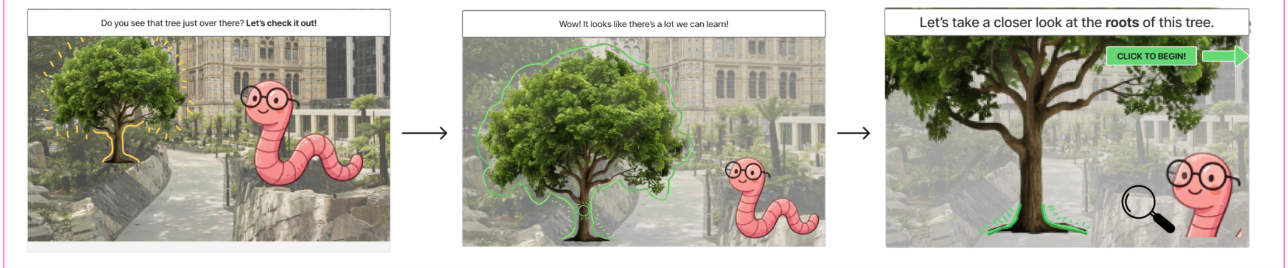
Homepage Interaction: This is a singular interaction which shows wormy explaining to users how the device will work through their garden experience.
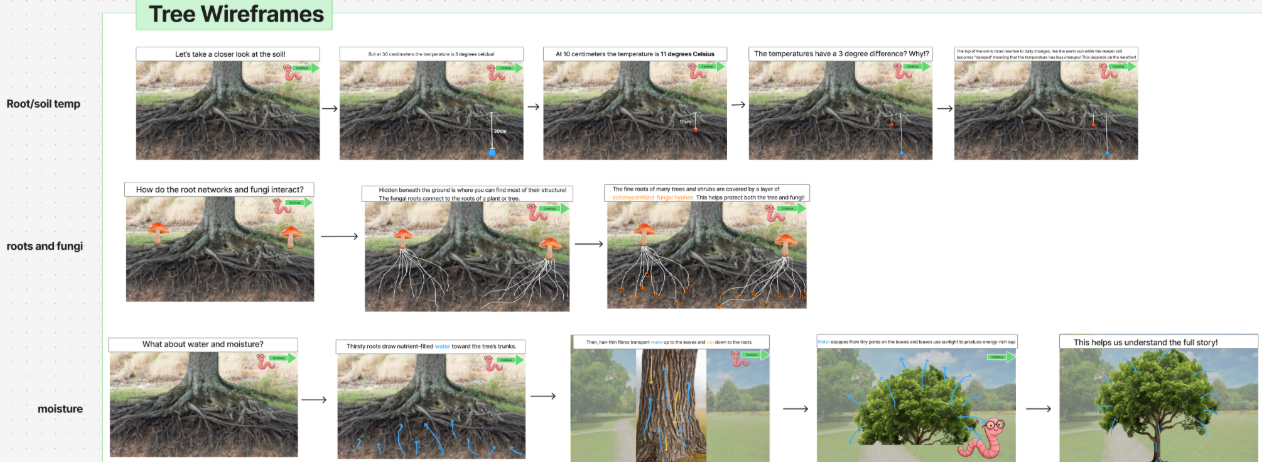
Root Networks:
- Soil temp: We showed the highest temp compared to the lowest temp and explained why these differences occur.
- Fungi: Here we explain how the root networks and Fungi interact to benefit each other. We broke this interaction into multiple stages to explain to users complex systems.
- Moisture: We explained and showed visitors how moisture works starting at the root networks working all the way up the tree out into our environment.
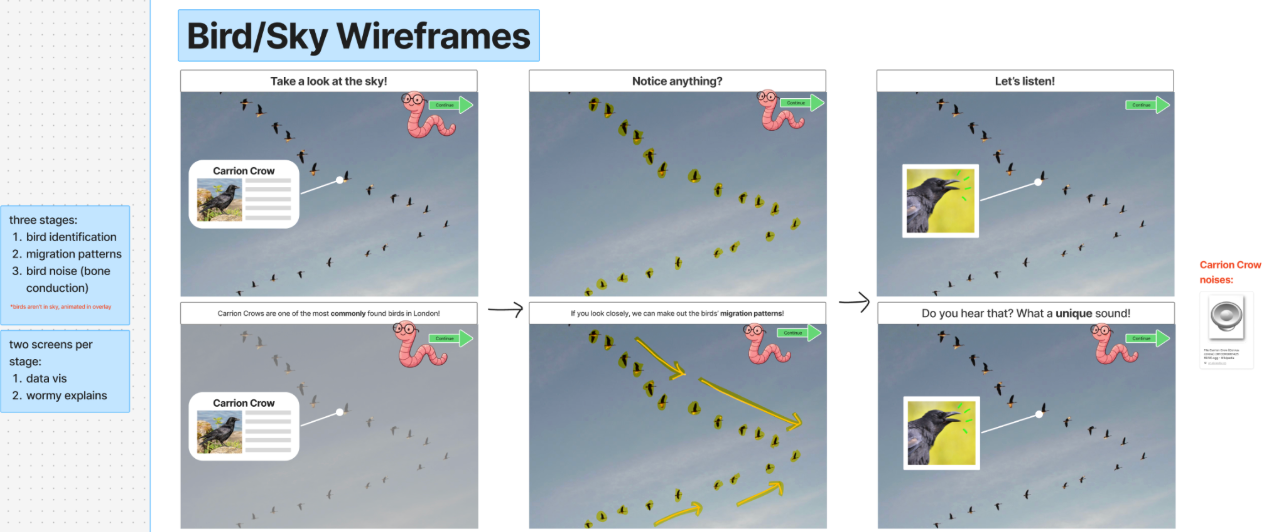
Sky: In these wireframes we showed the flight patterns and identification of specific species of birds.
Sky: We also explain to users the different types of clouds and what distinguishes them from others.

Pond: Finally, we used an image of a data sensor in the garden to explain to visitors the data being collected and continued to explain how the data it collects can be used.
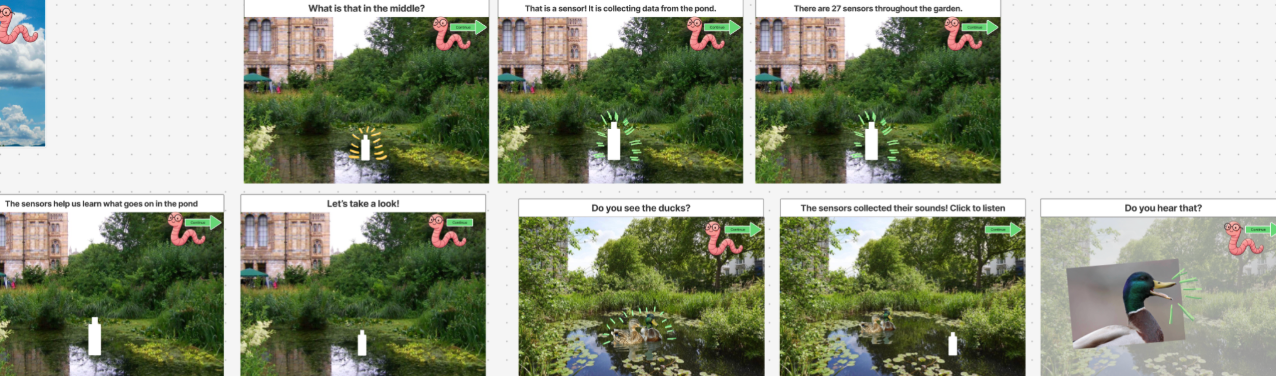
To create these wireframes we used images from google and some GenAI to create specific images we could not find or create on our own. Out of all of the creative things we did through our journey, this was probably my most favourite piece. It allowed our vision to really come to life and also allowed me to interact with the data and storytelling specifically which enhanced my understanding of what the users might need.
Experience UX (no date) What is wireframing? Available at: https://www.experienceux.co.uk/faqs/what-is-wireframing/
Post a comment